
Window Switcher
Switch between windows on Mac, not just apps
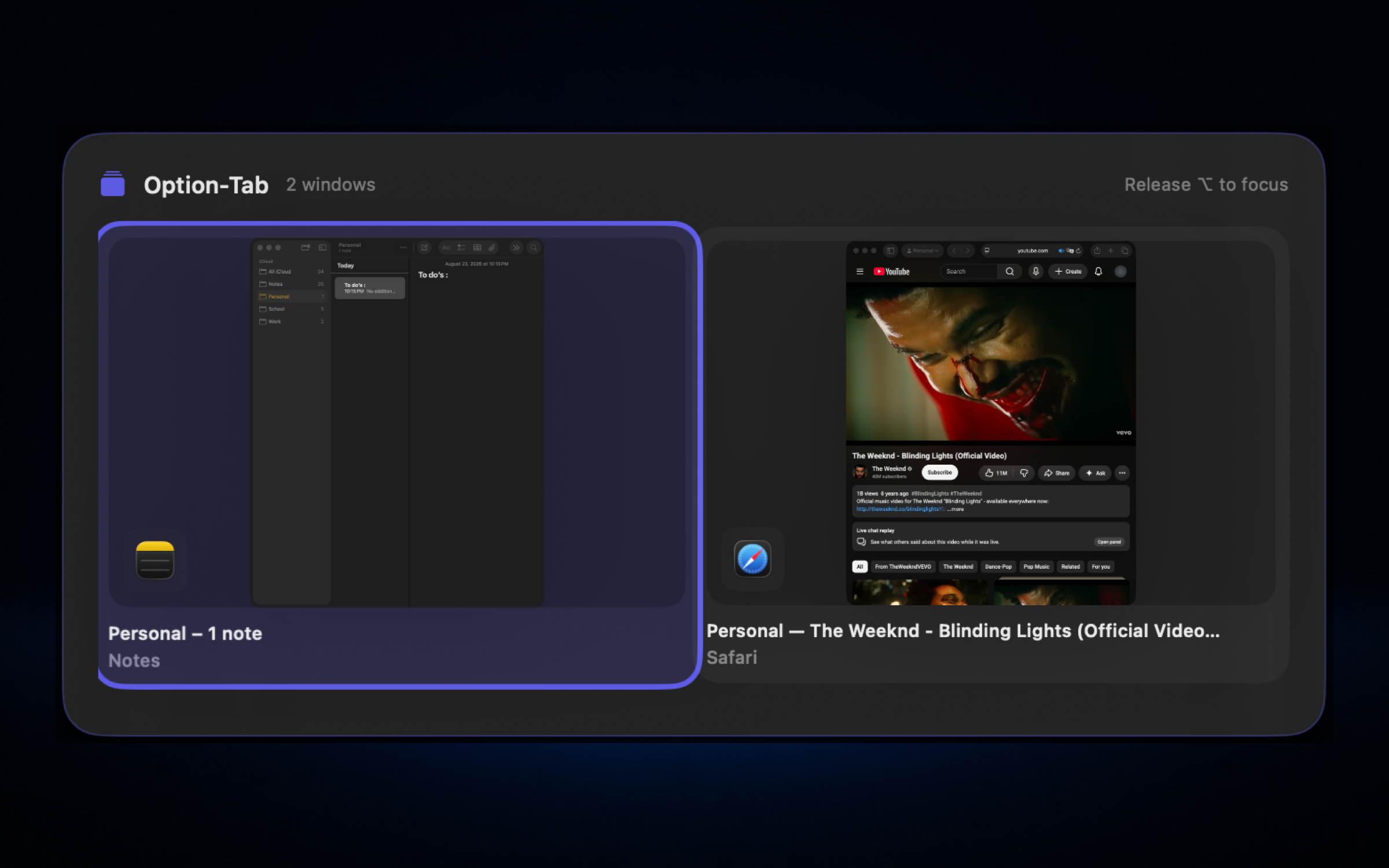
Command-Tab switches apps, so two Safari windows look like one. Hold Option and press Tab instead and Nodusly shows every open window in a grid; let go of Option and the one you picked comes to the front.
Switch real windows, not just apps
Switch windows like AltTab
Hold Option and press Tab to cycle open windows in a grid with optional thumbnails. A lighter take on dedicated switcher apps, built into Nodusly.
- ✓Option+Tab forward, Shift+Option+Tab reverse
- ✓Grid of real windows, not just apps
- ✓Optional still thumbnails or app icons
- ✓Release Option to focus the selected window
- ✓Works alongside Apple's Command+Tab
Switching uses Accessibility permission. Window thumbnails also need Screen Recording permission; with icons only, they do not.
One app instead of six
Window Switcher is one part of Nodusly. The same app, license and 2 Macs also cover notch, window manager, clipboard, workspaces and file shelf. Everything runs locally, with no telemetry.
Coming from AltTab? See how they compare.
Questions
Does it replace Command-Tab?
No, it works alongside it. Command-Tab keeps switching apps; Option-Tab switches individual windows, with Shift+Option+Tab to go backwards.
Do I need to show thumbnails?
No. Thumbnails are optional and need Screen Recording permission. App icons work without it.
Is it an AltTab alternative?
It covers the core of AltTab: a grid of real windows on Option-Tab. AltTab goes deeper for switcher power users; Nodusly adds notch, tiling, clipboard and more in one app.
Monthly starts with a 7-day free trial. Every charge can be refunded within 14 days.